Monitor
Every device watched, with power, input, lamp hours and errors read back. One missing shows red straight away.

Show control by Illumin8 Studios · --:--:--
The central monitoring and control system built for the immersive and AV world. Tachyon watches every device, runs the shows, keeps the schedule and puts the controls on any tablet.
Why we built Tachyon
Twenty projectors, three media servers, a lighting desk, a DSP, a rack of switches. Each with its own software, and no single central monitoring system built for the immersive and AV world.
So we built one. From theme parks to museums to brand experiences: one platform for everything the show needs, from one always-on machine.
The tour
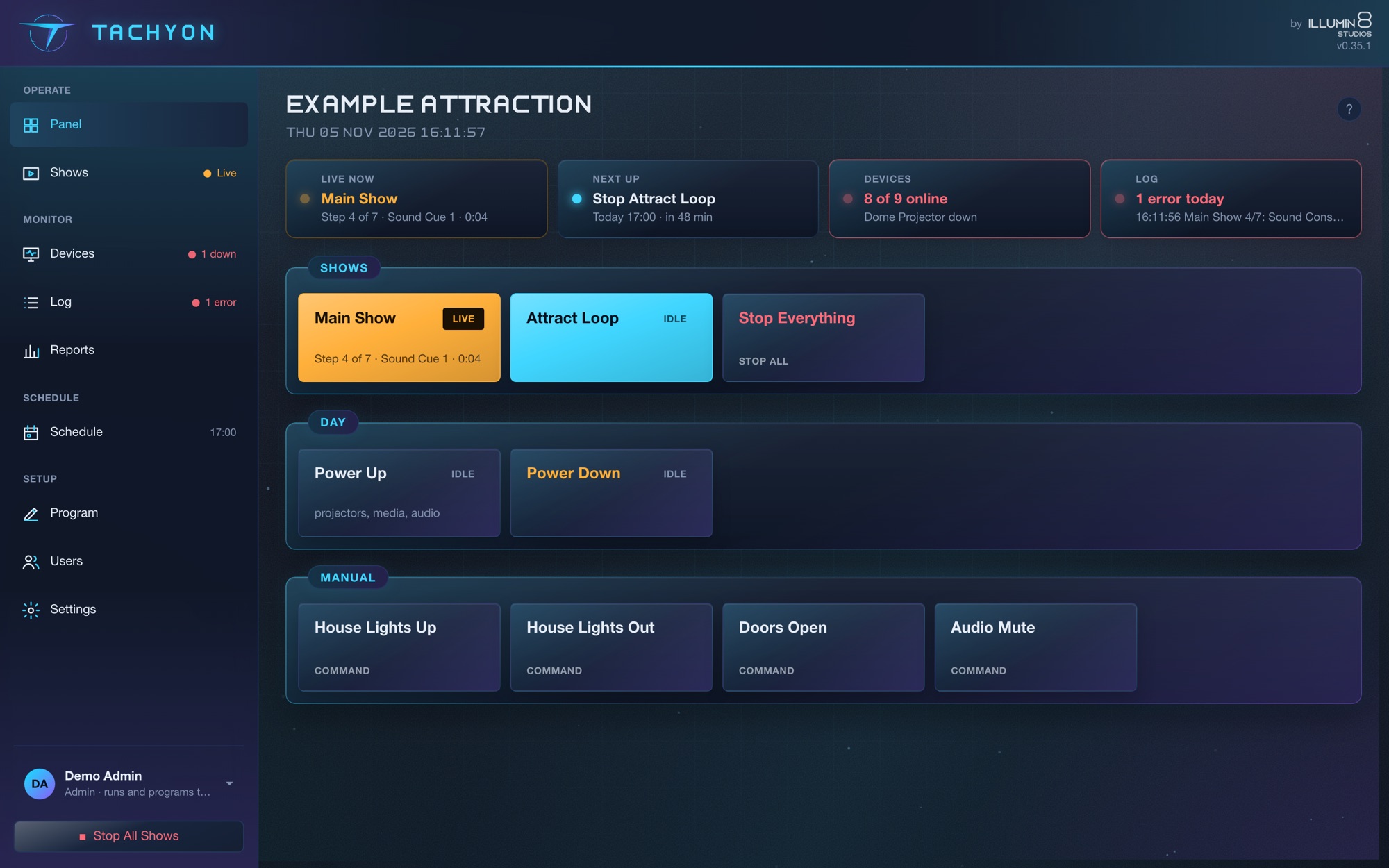
Real screens from Tachyon, running its demo venue. Click any screen to see it full size.
Timed cue lists you start from the panel, the schedule, OSC or MIDI. Running shows light up with their step and elapsed time.
Every device watched on its own. Projectors report power, input, lamp hours and errors. One missing shows red, with how long it's been down.
Steps run top to bottom with their waits. Or switch to a timeline, with cues on tracks that can chase timecode. Test any step with its play button.
319 devices and 508 skills, sorted by kind and maker, with what each protocol is for and how Tachyon reaches it.
Uptime and outages for every device, faults and shows run, kept for 90 days. Exported as CSV and emailed each morning and on Mondays.
What fires today and tomorrow, with a countdown to the next. Set times, sunrise and sunset, or prayer times, each with an offset, or every hour until close. Hold it all for rehearsals and private hire.
Every day for three months ahead, with your edits. Summer hours by date range, and closed days imported from your holiday calendar.
Devices, commands, shows, schedule, buttons, triggers, logic, touch pages and media, in one editor. Nothing changes until you Save & Apply. Keep named copies of the whole show ("Christmas 2026") and open one any time.
The platform
Every device watched, with power, input, lamp hours and errors read back. One missing shows red straight away.
OSC, PJLink, Art-Net, sACN, MIDI, RS-232, VISCA, KNX, Modbus, SNMP and more, plus 319 devices ready-made.
Cue lists, timelines that chase timecode, schedules that follow the sunset and the prayer times, triggers and visual logic you can watch fire live.
Touch pages for wall panels and tablets, the Tachyon Touch app, Stream Deck, and separate operator and admin accounts.
One media library, synced to PIXERA, disguise, Modulo Player, VYV Photon and LightAct.
Alerts to email, Slack and Teams, once per outage. 90 days of history and uptime reports every Monday.
A backup machine mirrors the primary over signed heartbeats and takes over by itself.
Templates stamp out a finished room ten times. Change the master and every copy follows.
Touch pages
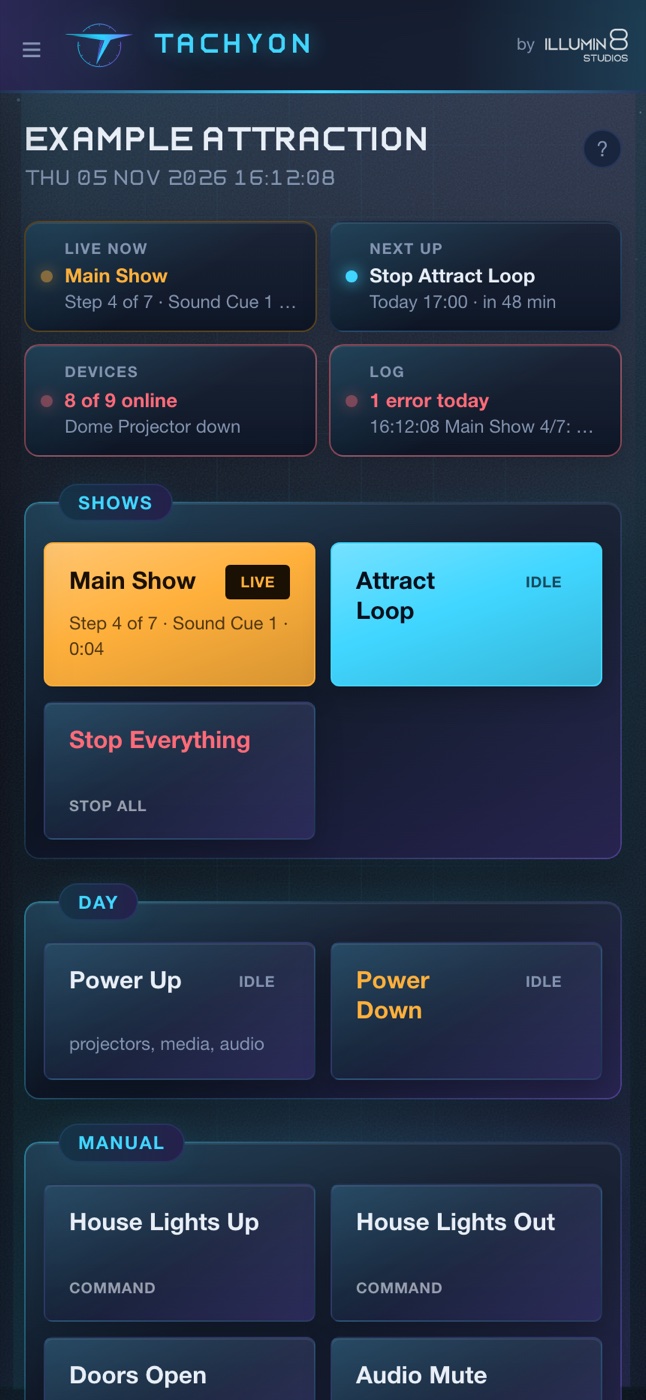
The person running the show at 17:30 on a Friday isn't the person who programmed it. Design full-screen touch pages for wall panels, iPads and Android tablets.
Go on, press them.
The device library
The slowest part of programming show control isn't the show. It's looking up every device's protocol. Pick the device, type its address, tick what you need, and the commands appear in your show, named and ready.
Redundancy
For a 24/7 install, one show machine is a single point of failure. Pair two Tachyon machines: the backup mirrors the primary's state and config, and if the primary stops answering, it takes over. When the primary comes back, it hands back.
No one gets a call. The show carries on.
Signed heartbeats every second
Runs where you need it
Or a Mac, a Windows PC or a Linux server. On a Pi it starts the show at boot, with the touch page on its own screen if you want one. No proprietary box to buy, no packages to install.
Set up the next machine from the one you have: Tachyon installs itself onto Pis, Windows PCs and Macs over the network, starts it as a service and can link it as the backup.
A day in the life
From the first projector on to the last light off. 07:30
Wake-on-LAN starts the media servers. PJLink powers the projectors.
Every projector, console, amp and switch is watched. One missing shows red.
The schedule fires the cue list: house lights, audio, video, lighting. On time, every day.
The background music fades for Dhuhr and comes back after. Prayer times are worked out on the machine every day, by your local authority's method.
Email, Slack and Teams get the alert. A fault show switches to the spare.
The façade lights come on at sunset. Tachyon works it out from the venue's location, every day, no internet needed.
The duty manager taps "Event Mode" on the wall touchscreen. PIN in, done.
Closing show, projectors to standby, tomorrow armed. Holidays from your calendar skip themselves.
Uptime, outages, shows run and lamp hours for every device, in your inbox.
Licensing
Runs as a service that starts with the machine. HTTPS for tablets, admin and operator accounts, and no internet needed once it's activated.
A licence for each show machine, for venues that run every day.
per machine
Run a one-off event or a rental week and only pay for the days.
per day
Hand over a show that runs and can't be changed by accident.
per machine
The licence lives on a USB key, so it goes wherever the key goes.
Ask us for prices for your site: we'll reply with a quote.
Pay by card, PayPal or Apple Pay and your licence key arrives by email in a minute. Prices show in your currency; tax is added at checkout where it applies. Several sites, a USB key or something special? Ask for a quote.
Free trial
A 14-day trial with a ready-made demo show, so you can explore every feature.
The trial runs the demo show: changes run straight away but aren't saved, and it resets every 15 minutes. Want to see it running your own kit? Ask for a live walkthrough. When you're ready to run your own show, a licence or day pass loads your config at once.
The Illumin8 family
Tachyon has company on the way. Design the system in Spectra, run it in Tachyon, and bring Q-SYS into the family with Nebula.
Show control and monitoring. One always-on machine watches every device, runs the shows and keeps the schedule.
Get the trial
Tachyon's sister app, for the people who design and commission the show. We're not saying more just yet.
Find out more
Our Q-SYS plugin suite, in the Tachyon family. We're not saying more just yet.
Find out more